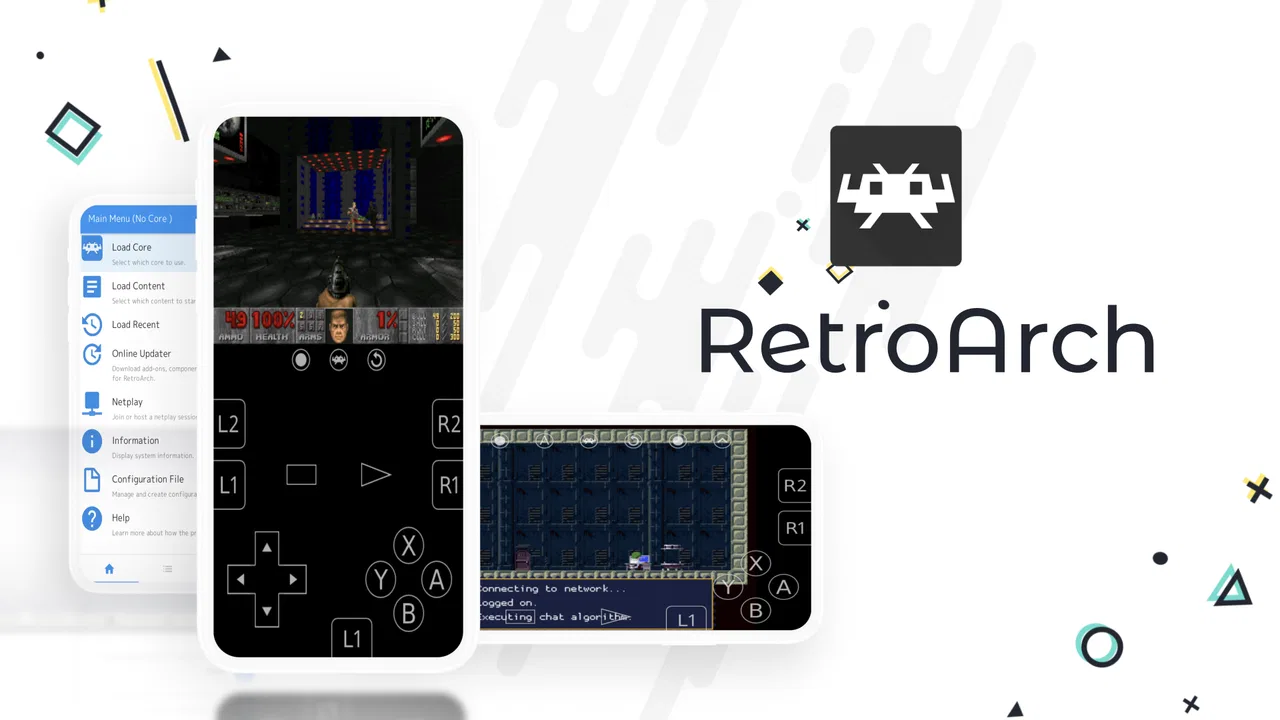
RetroArch
- 3.8
- Rating
- 5.00M
- Installs
- Free
- Price

 Analysis by App-foxy
I came to RetroArch expecting a simple way to play old games on a phone, but its real appeal is broader: it brings different retro systems into one interface instead of making me jump between separate emulator apps. That central idea is both its biggest strength and the reason it can feel more complicated than a typical mobile game. When it works well, I get one organized place for a varied retro collection. When I want something instant and effortless, the setup asks for more patience than many modern Android or iOS games.
Developed by Libretro, this free action game is aimed at people who already have a personal interest in classic gaming, emulation, or preserving an older library. It has been available since January 2, 2014, and its long presence is reflected in a 3.8 average from around 47 thousand ratings, with more than 5 million installs. Those figures do not make it a universal recommendation, but they do show that RetroArch has become a familiar name for players who want a flexible retro-games hub rather than a single, tightly controlled experience.
One app for many retro systems
The capability I noticed most is the unified approach. Instead of treating every old console or arcade platform as a separate app, RetroArch gives me a common environment where different emulator components can be managed and used. The practical effect is easy to understand: I spend less time opening and learning several unrelated programs, and more time building one consistent routine for playing.
You May Also Like

 Blood Strike: 2.5 Anniversary
Blood Strike’s Loadouts Turn Every Drop Into a Tactical Gamble
A close look at Blood Strike’s custom loadouts: how fast access to signature weapons reshapes its battle royale rhythm, rewards preparation, and narrows the gap between fights.

 Pandora - Music & Podcasts
Pandora’s Music Is Easy to Start, but Harder to Recover
Pandora’s strength is its low-effort path from a seed to a station. Its weak spot is how much confidence it asks you to place in connection, setup, and quiet recovery.

 8 Ball Pool
 Is Built on Rivalries, Rematches, and Routine
A close look at the rivalries, rematches, shared routines, and unanswered safety questions that turn a quick pool match into a persistent mobile community.

 Samsung Music
’s Quiet Strength Is Playing What You Already Own
Its reach comes less from spectacle than from dependable access to a personal library. That simplicity is both the app’s strongest retention engine and its ceiling.

 AccuWeather: Weather Radar
AccuWeather Review: A Quick, Clear Forecast for Everyday Decisions
For everyday plans, the best forecast is the one you can understand quickly. AccuWeather makes rain timing, radar, and local conditions easy to act on, with a few trade-offs.

 Hill Climb Racing
Why Hill Climb Racing Still Turns Crashes Into One More Run
A tiny car, a bumpy hill and one more upgrade: Hill Climb Racing keeps resurfacing because its simple chaos makes every near-miss feel personal.
More From Our News Desk



That consistency matters on a mobile device. I can keep a collection in one place, use the same general navigation habits, and avoid remembering which emulator handles which game. The interface is not instantly self-explanatory, so the benefit appears after I have invested time in understanding its structure. At first, it feels less like launching a game and more like preparing a small personal library.
RetroArch is not itself a collection of commercial games. It is a tool for running compatible retro software that I already have the right to use. That distinction is important. Anyone expecting to install it and immediately receive a built-in catalogue of famous titles will be disappointed. The app becomes useful when paired with a legitimate personal collection and a willingness to arrange files carefully.
I also appreciate that the same central concept can suit different levels of interest. A casual player may use it for a handful of old favourites, while a dedicated retro enthusiast may prefer having one place for a much larger library. The app does not force me to commit to only one system, which is a meaningful advantage over a single-platform emulator.
What the unified design changes day to day
In everyday use, the main gain is reduced switching. With separate emulator apps, I might need to remember different menus, controller settings, save locations, and display options. RetroArch gives me a shared starting point. That does not remove every configuration task, but it makes the overall collection feel more like one library than a pile of unrelated utilities.
There is also a useful mental shift: I can think about the game I want to play instead of the emulator I need to open. For someone who moves between several generations of retro software, that is a small but genuine improvement. It is especially helpful when I am using a phone casually, where repeated app switching quickly becomes annoying.
The trade-off is that a common interface cannot perfectly match every system. A setting that makes sense for one kind of game may be unnecessary or confusing for another. I sometimes have to understand the difference between a general option and a setting that belongs to a particular emulator component. That flexibility is powerful, but it rewards curiosity more than impatience.
How I would set it up without creating unnecessary work
I would begin with a very small test library rather than importing everything at once. Choosing a few games from different systems lets me check whether the files are recognized, whether the controls feel comfortable, and whether the screen layout suits the phone. This is a better first step than spending an evening organizing a huge collection before knowing how the app behaves on the device.
My next practical tip is to treat organization as part of the experience. Clear folder names and consistent file naming make browsing less frustrating later. If a game appears with an unclear title or is difficult to find, the problem may be the way the collection is arranged rather than the game itself. A tidy library is particularly valuable on a touchscreen, where scrolling through a long, messy list is slower than it would be with a physical keyboard.
I would also test controls before deciding whether a game is suitable for mobile play. Platform games and turn-based titles can be manageable with on-screen controls, but games that depend on rapid, precise inputs may feel uncomfortable. A Bluetooth controller can improve the experience considerably, although that adds another device to carry and configure. RetroArch gives me flexibility, but it cannot make a touchscreen feel identical to original hardware.
One less obvious advantage of testing a small selection first is that it exposes the difference between technical compatibility and enjoyable play. A game may launch correctly yet still be a poor fit because the controls, aspect ratio, or text size are inconvenient. I would judge each title as a mobile experience, not merely as proof that the app can open it.
A realistic evening use case
Imagine I have a short train ride home and want something familiar rather than a new game that demands concentration. I can open RetroArch, choose a title from my prepared collection, and play for a few minutes. If I have already tested the controls and organized the library, the process is pleasantly direct. The app is most convincing in this situation: it turns a phone into a convenient way to revisit selected classics without requiring a separate app for every system.
The same scenario also reveals its limits. If I have not prepared the collection, I may spend the train ride searching through files, adjusting controls, or learning menus instead of playing. RetroArch rewards preparation. It is not the best choice for someone who wants a polished game immediately after installation with no configuration decisions.
For longer sessions, I would use a controller whenever possible and keep the phone in a stable position. That makes the unified library more enjoyable because I can move between games without changing my physical setup. For a quick touch-only session, I would choose slower games with simple input patterns and avoid assuming that every classic title will translate comfortably to a small screen.
Where the flexibility becomes friction
The first hurdle is the learning curve. RetroArch looks more like a serious emulation front end than a conventional mobile game. New users may need to understand how their personal game files are arranged, how the relevant emulator component is selected, and where to adjust controls or presentation. None of that is impossible, but it is more involved than downloading a normal action title and tapping Play.
The second hurdle is troubleshooting. When a title does not behave as expected, there can be several possible causes: the file may not be suitable, the selected component may not be the right one, or a control and display setting may need attention. The app’s flexibility gives me more ways to solve a problem, but it also gives me more places to look. That is a fair exchange for experienced users, while beginners may find it tiring.
Touch controls are another important compromise. They are convenient because they require no extra hardware, but they do not reproduce the feel of a physical directional pad and buttons. Games built around quick reactions can expose this weakness immediately. RetroArch is therefore much more appealing to players who already own a compatible controller or who prefer slower, menu-driven, puzzle, role-playing, or turn-based experiences.
Screen size can affect enjoyment too. Older games often rely on small text, fixed layouts, or visual details that were designed for a television. On a phone, I may need to choose between a larger image and preserving the original proportions. The right choice depends on the game, and there is no single display arrangement that will suit every title in a mixed collection.
Another trade-off is that a unified app can make the collection feel less personal than original hardware if I do not take time to organize it. The convenience comes from the central system, but the atmosphere comes from how I prepare the library and controls. Users who enjoy configuring and curating will see that as part of the fun. Users who only want a quick distraction may see it as unnecessary work.
How it compares with simpler alternatives
A dedicated emulator for one platform is usually easier to understand. Its menus tend to focus on one type of game, and its settings may feel more relevant from the moment it opens. If I only care about one system and want the shortest path to playing, that narrower option can be better than RetroArch.
On the other hand, using several dedicated emulators creates its own inconvenience. Each app may have a different layout, different save-management habits, and different controller behavior. RetroArch’s central approach is more attractive when my collection spans multiple systems and I value a consistent starting point more than absolute simplicity.
It also differs from modern retro compilations sold as finished products. Those collections usually provide a curated selection with menus, artwork, and controls designed around known games. RetroArch offers a more open-ended personal library instead. I gain choice and breadth, but I also take responsibility for preparing the content and making the settings comfortable.
That comparison helped me place the app correctly. It is not trying to be a single polished retro release, and it is not merely a basic player with no room for adjustment. It sits between a library manager and an emulator environment. The people who benefit most are those who want control over what they play and how the collection is arranged.
Questions I would answer before installing
If you are wondering whether it includes games ready to play, I would not install it with that expectation. The app is a platform for using compatible retro software from your own legitimate collection. Preparing that collection is part of the process, so the initial experience depends heavily on whether you already have content you intend to use.
If you are asking whether a controller is necessary, the answer depends on the games. Touch input can be enough for slower titles and short sessions, but a physical controller is the more comfortable choice for action games that require accurate movement. I would test the touchscreen first, then decide whether the extra hardware is worthwhile for the games I actually play.
If you are concerned about whether it suits a child, the store places it in the Everyone age category. Even so, the practical suitability depends on the games a family chooses to use with it and on how comfortable the adult is with managing the library. The app’s age label does not turn every possible piece of retro content into a child-focused experience.
If you are using an older phone, the minimum operating-system requirement is Android 5.0 or later. That makes the app accessible to a broad range of Android devices, although the quality of play will still depend on the individual game, controls, and phone hardware. I would avoid judging the experience from the requirement alone and test the specific titles that matter to me.
Finally, if you are wondering whether it is still maintained, the current version is 1.22.2, dated August 26, 2026. That gives me confidence that the project remains active enough to receive current releases, but it does not remove the need to configure the app thoughtfully. A recent version improves the starting point; it does not eliminate the learning curve that comes with a flexible emulator hub.
Who gets the most from this free download
RetroArch is a strong match for a retro fan with a mixed collection, a little patience, and an interest in controlling the experience. I would recommend it to someone who dislikes installing a different emulator for every platform and wants a single place to browse, test, and play. It is also a good fit for people who enjoy revisiting older games in short sessions and are willing to prepare a small, organized library.
It is less suitable for someone who wants a game with an immediate tutorial, built-in content, or a completely polished touch interface. If I only want a few minutes of effortless action, a conventional mobile game or a dedicated official retro collection will probably feel more welcoming. RetroArch can become convenient, but convenience arrives after setup rather than before it.
My advice is to start modestly: install it, prepare a few legitimate games, test both touch controls and a controller if one is available, and adjust the experience around the titles you genuinely want to play. That approach avoids the common mistake of treating the app as a magic shortcut to every retro game. Its value comes from combining many possibilities in one place, not from removing every decision.
For me, the central capability is worth the effort. Having one flexible home for different retro systems is more useful than it sounds, especially when I move between games from different eras. The interface and setup can be demanding, and touchscreen play will not suit every action title, but those weaknesses are understandable consequences of the app’s broad scope. If you want a personal, multi-system retro library rather than a ready-made mobile game, RetroArch is a free and capable choice that rewards a careful setup.
Libretro’s project is therefore best judged as a tool for players, not as a conventional action release. I would recommend it to curious retro users who value variety and control, while steering complete beginners toward a simpler alternative if they do not want to manage files or settings. Once the initial work is done, the app’s unified design can make a phone feel like a compact doorway into a much wider personal collection.
FAQs for RetroArch
01What is RetroArch, and what can I use it for?
RetroArch is a multi-system emulator frontend that lets you play games from many classic consoles and computers through one unified interface. It uses downloadable emulator modules called “cores,” supports features such as save states, shaders, controller configuration, screenshots, and netplay, and can organize games into playlists. It does not include copyrighted games, so you must provide legally obtained game files yourself.
02Is RetroArch free to download and use on Android or iOS?
Yes, RetroArch is generally available free of charge, although the exact installation process and store availability can differ between Android and iOS. The application itself does not normally provide commercial games or BIOS files. You should download it from a trustworthy official source and avoid unofficial packages that may contain modified files, intrusive advertising, or security risks. Some iOS installation methods may require additional setup.
03Does RetroArch include games, ROMs, or console BIOS files?
No. RetroArch is an emulator platform and does not legally provide commercial ROMs, disc images, or BIOS files with the application. After installation, you may need to download compatible cores and configure your own legally backed-up game files. Certain systems also require BIOS files, and the correct file names, formats, and locations vary by core. Always check the relevant documentation and copyright laws in your region.
04What phones and controllers work best with RetroArch?
RetroArch can run on many modern Android devices and supported iOS hardware, but performance depends on the system being emulated, the selected core, and your device’s processor. Older consoles usually work well on budget phones, while demanding systems may require stronger hardware. Touch controls are available, but a Bluetooth or USB gamepad generally provides a much better experience. Controller mapping may require manual adjustment.
05Is RetroArch easy for beginners to set up?
RetroArch offers extensive customization, but its many menus and separate core, directory, playlist, and controller settings can feel complicated at first. Beginners should start with a simple system, install an appropriate core, scan a legally obtained game folder, and test basic controls before changing advanced options. Save states, shaders, overlays, and performance settings are useful, but incorrect configurations can cause glitches or prevent games from launching.
Pros
- Supports a huge range of classic consoles through downloadable cores.
- Highly customizable controls
- shaders
- overlays
- and video settings.
- Save states
- rewind
- cheats
- and fast-forward improve retro gameplay.
- Works offline once cores and game files are installed.
- Free
- open-source
- and available across Android
- iOS
- and other platforms.
Cons
- Initial setup can be confusing for users unfamiliar with emulator terminology.
- Performance and compatibility vary depending on the selected core and device.
- Game files are not included and must be obtained legally by the user.
- Touchscreen controls can feel imprecise for fast-paced games.
- Some advanced features require extensive menu navigation and configuration.

RetroArch
Gallery